The problem
The phone app asks you to leave the work context every time the treadmill needs attention.
Problem guide
The frustrating part is not only that the WalkingPad phone app can feel clunky. It is that the phone becomes the remote for a treadmill you are using while working on a Mac.
This page includes affiliate links. If you buy through them, Paceora may earn a commission at no extra cost to you.
The problem
The phone app asks you to leave the work context every time the treadmill needs attention.
What it usually means
Desk walking is full of small adjustments: start before a writing block, slow down before a call, pause when a meeting starts, check whether the session actually counted. A phone-first app turns those tiny adjustments into a repeated context switch.
Whether Paceora is relevant
If your model is supported and the treadmill itself works, Paceora helps by moving daily control to the Mac menu bar and keyboard. If the treadmill is unsupported or failing to pair anywhere, solve that first.
Best next step
Check compatibility. If your model is supported, try Paceora for daily control. If you are still buying, compare the A1 Pro and C2 first.
The phone app asks you to leave the work context every time the treadmill needs attention.
Desk walking is full of small adjustments: start before a writing block, slow down before a call, pause when a meeting starts, check whether the session actually counted. A phone-first app turns those tiny adjustments into a repeated context switch.
Workflow comparison
Fit check
Compatibility warning
If the model is not supported, the better next step is compatibility research, not a blind download.
Supported model fit
Best supported fit
The A1 Pro gets the biggest day-to-day upgrade because it is the supported model most likely to become a steady desk habit.
Runner-up
The C2 is a good fit when the whole appeal is convenience. Paceora keeps that convenience from collapsing into phone-app friction.
Who should skip both
Skip both if you mainly want a treadmill for workouts or if the model you already own is not supported by Paceora.
Paceora proof
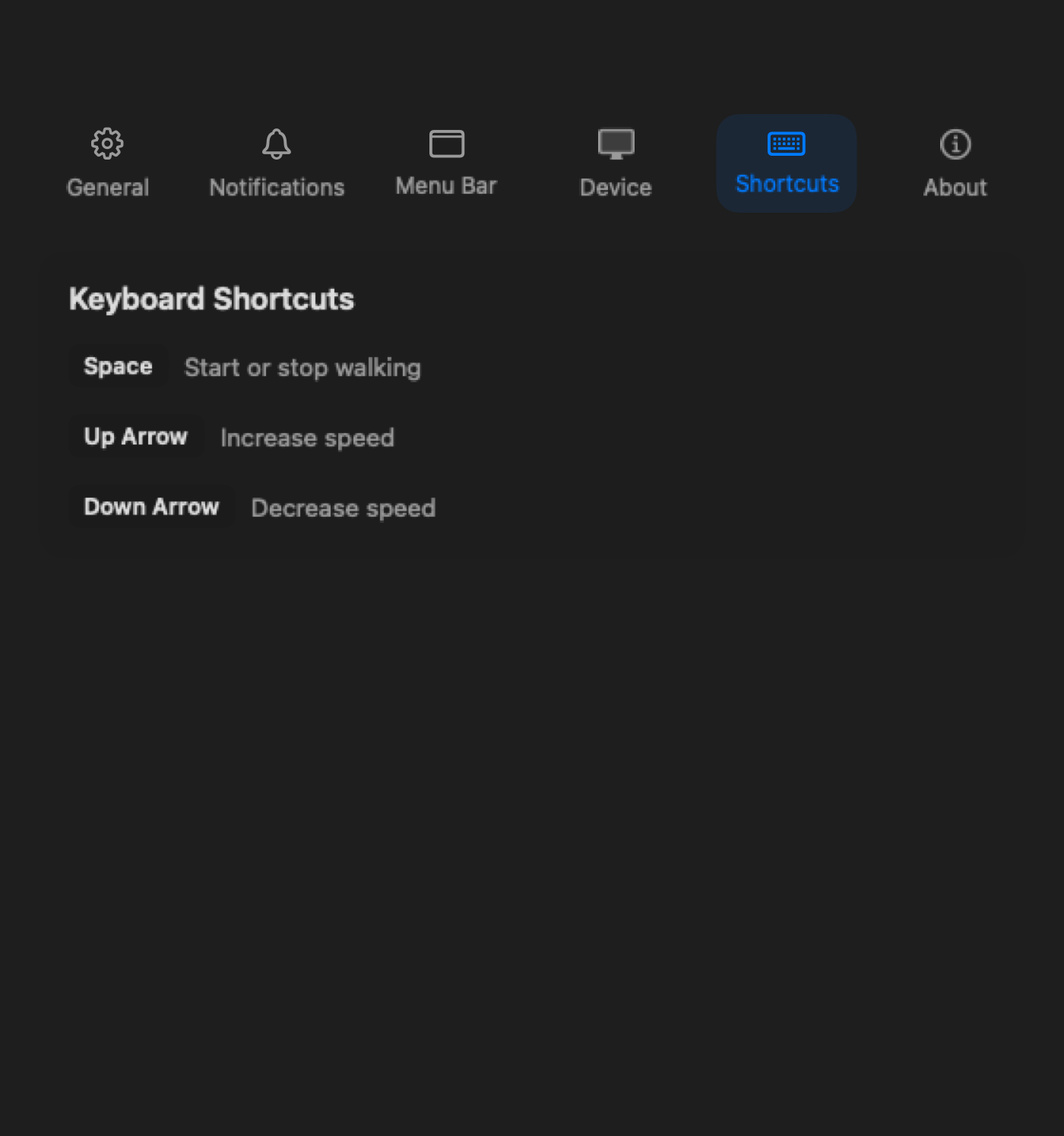
The daily control layer moves into macOS: menu bar tracking, notifications, history, shortcuts, and settings.
See connection state, speed, time, distance, and session progress from the place you already check during work.
Paceora can nudge you when sitting stretches too long or when a walking goal is close.
Choose what stays visible so the treadmill feels like part of the desktop instead of a separate phone workflow.
Adjust the treadmill without making the phone the center of the session.
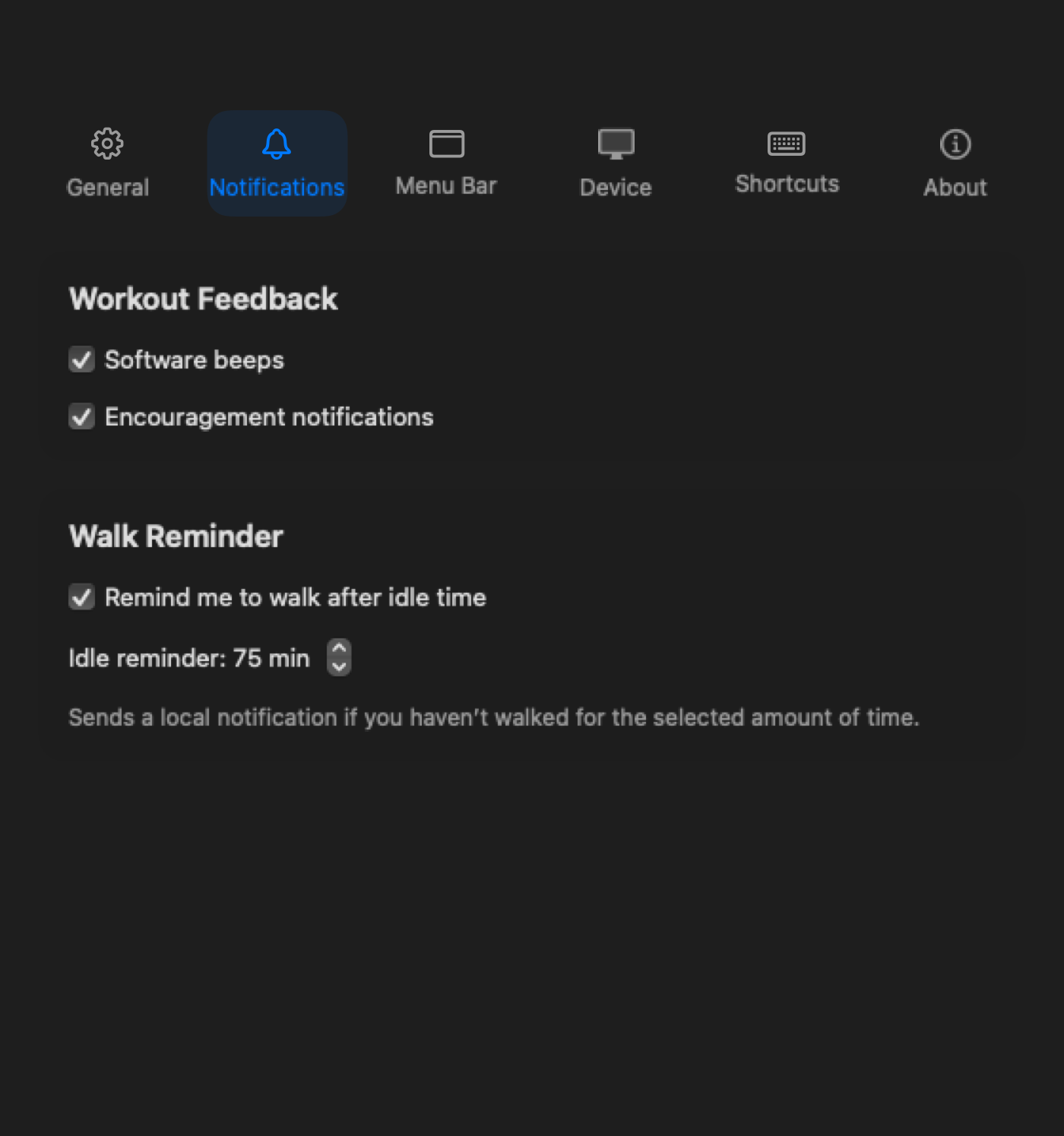
The nudge happens on the Mac, not in a separate fitness ritual.
Review workday walking after the session instead of hoping the phone app made it clear.
A phone app is not automatically bad. It is just a poor default when the treadmill is part of a desk workflow. Paceora's advantage is narrow and practical: it makes supported WalkingPads feel like Mac-side equipment instead of a phone accessory sitting under the desk.
Check compatibility. If your model is supported, try Paceora for daily control. If you are still buying, compare the A1 Pro and C2 first.
Review
The A1 Pro is the safest all-round desk-walking recommendation in Paceora's supported set: sturdier than the compact pads, still foldable enough for a real home office, and clearly desk-first.
Review
The WalkingPad C2 is the compact desk-walking pick for buyers who care more about easy storage and low-friction use than about maximum deck confidence.
Review
The X21 is the premium office-first WalkingPad: the model for buyers who want better visible-room fit, upright storage, and a more intentional home-office setup.
vs
Comparison
Pick the A1 Pro if you want the safer all-round desk setup. Pick the C2 if compact storage is the actual deciding factor.
vs
Comparison
Choose the A1 Pro if your main goal is desk walking. Choose the R1 Pro only if the walk-run flexibility is genuinely part of the buying case.
FAQ
Yes. Paceora is a native macOS app for supported WalkingPad and KingSmith models.
No. It avoids the phone-first daily workflow for supported models. It does not repair KS Fit itself.
Possibly. Firmware updates and first-time edge cases may still need KS Fit.
Check compatibility. If your model is supported, try Paceora for daily control. If you are still buying, compare the A1 Pro and C2 first.