

WalkingPad A1 Pro
Choose between a steadier deck for longer walks and a lighter machine that is easier to store.
WalkingPad A1 Pro
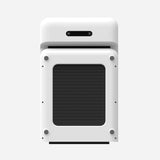
WalkingPad C2
These are the two models to compare when desk walking, rather than faster exercise, is the goal. The main question is whether the treadmill can stay near the desk or must be moved every day.
Pick the A1 Pro for steadier, longer desk sessions. Pick the C2 when it needs to fold away after each walk.
| What matters | WalkingPad A1 Pro | WalkingPad C2 |
|---|---|---|
| Low-speed desk walks | Better suited to longer sessions | Better suited to shorter sessions |
| Storage | Foldable, but heavier to move | Easier to fold and put away |
| Deck feel while typing | Wider and steadier | Narrower and lighter |
| Mac control | Useful for regular desk sessions | Useful for quick starts and stops |
The specs matter less than how each treadmill behaves once it is under a desk, in a room, and part of a routine.
The A1 Pro is easier to trust during long typing sessions because its deck feels steadier and less cramped.
For regular desk work, the A1 Pro has the edge because it feels more planted while you type.
The C2 is easier to move and tuck under furniture. The A1 Pro also folds, but it is heavier and works best when it can stay near the desk.
For cramped rooms and shared spaces, the C2 is easier to fold, move, and put away. It does not feel as roomy as the A1 Pro, and that tradeoff matters on long walks.
Deep-focus roles usually prefer the A1 Pro because the narrower C2 deck becomes more noticeable during longer sessions.
Either model can work between calls. Choose the C2 for quick setup and storage, or the A1 Pro for steadier sessions between meetings.
Choose the C2 for a small or shared room. Choose the A1 Pro when the treadmill can stay beside the desk and longer walks are part of the week.
Paceora supports both models. Mac controls are especially useful on the A1 Pro when it stays under the desk and gets used most days.
Paceora gives both models menu bar and keyboard control. It cannot make the C2 wider or the A1 Pro easier to lift, so choose the hardware for the room first.
Developers and writers planning longer typing sessions should compare the A1 Pro first. The C2 may suit meeting-heavy days built around short walks, especially when the room needs to be cleared afterward. Compare the X21 if the treadmill will stay visible in a dedicated office.
The A1 Pro is heavier and takes more room when folded, so moving it every day can become tiresome. The C2's narrower deck can feel restrictive during long typing sessions. Decide whether daily storage or long-session comfort is harder to compromise on.
It can be if you plan to walk for long stretches several days a week. Choose the C2 instead when storage and easy moving matter more than a wider, steadier deck.
The C2, because it is easier to move and store in a tight room. Measure its folded dimensions against the place where you plan to keep it.
Paceora supports both. The benefit is most noticeable on whichever model you use often enough to keep beside your Mac.
The A1 Pro asks for more room and is heavier to move. The C2 gives up some deck comfort to make daily storage easier.