Problem guide

Your phone is a bad WalkingPad remote for desk work

Using the phone as a WalkingPad remote sounds fine until it becomes the thing you have to touch every time your work rhythm changes.

Paceora menu bar tracking view with treadmill speed and session stats
Menu bar tracking
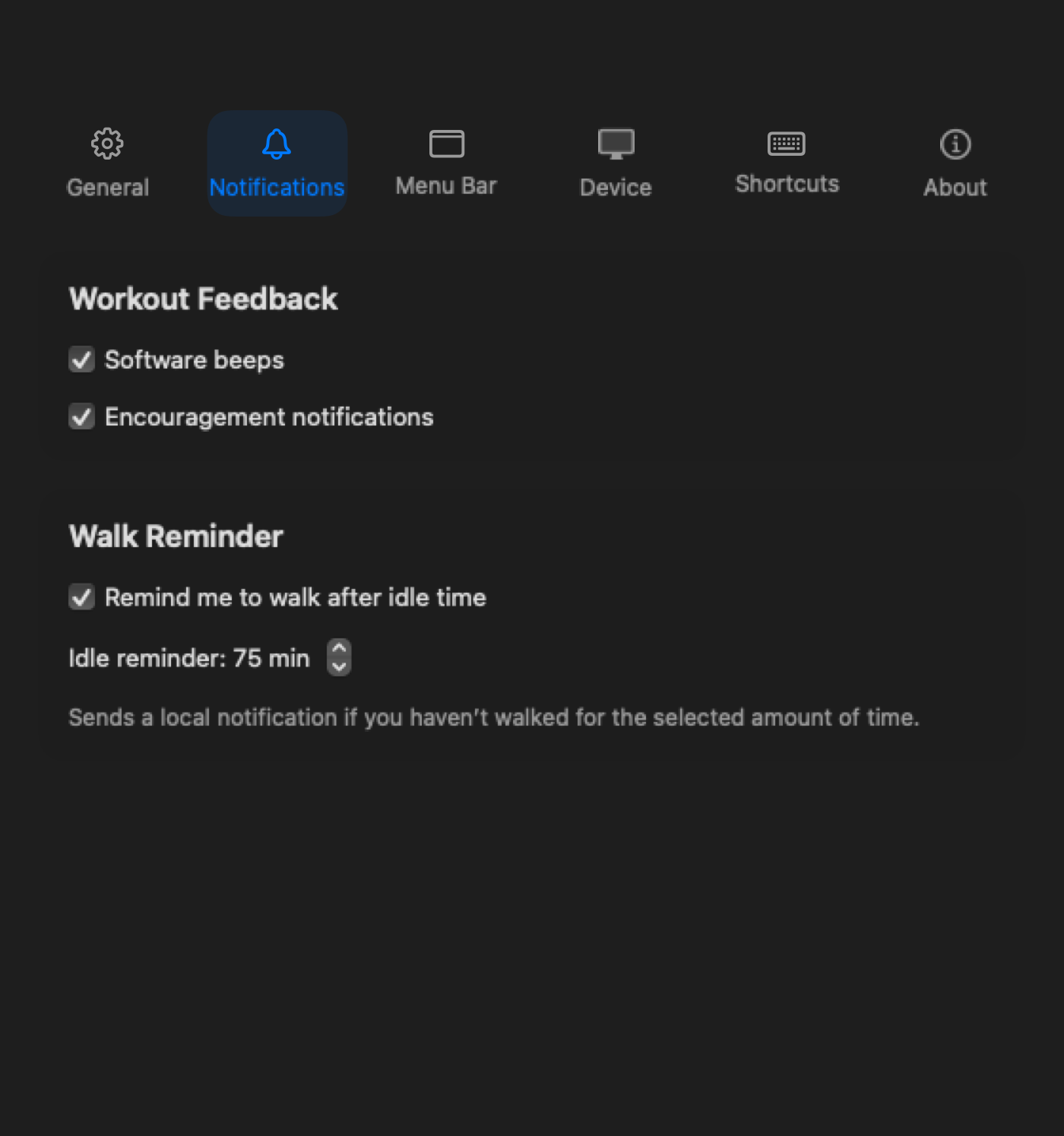
Paceora notification settings for walk reminders
Mac notifications

This page includes affiliate links. If you buy through them, Paceora may earn a commission at no extra cost to you.

The problem

The phone is not just a controller. It is a distraction device sitting between you and the work session.

What it usually means

A treadmill remote should be almost invisible. A phone is the opposite: unlock screen, notifications, app switching, connection status, then back to the document. That is too much surface area for a simple speed change.

Whether Paceora is relevant

For supported models, Paceora is better than using your phone as the remote because it puts daily control on the Mac. It is not a fix for unsupported hardware, broken treadmills, or official-app-only setup needs.

Best next step

If your model is supported, download Paceora. If you are deciding what to buy, start with the A1 Pro unless compact storage is the reason the C2 fits better.

What is actually going wrong

The phone is not just a controller. It is a distraction device sitting between you and the work session.

Why the default control flow is bad for desk walking

A treadmill remote should be almost invisible. A phone is the opposite: unlock screen, notifications, app switching, connection status, then back to the document. That is too much surface area for a simple speed change.

Workflow comparison

Phone-first vs Mac-first control

Phone-first control

  • The phone, remote, or official app becomes the normal control surface.
  • Start, stop, speed, and status checks happen away from the Mac.
  • History, reminders, and control feel separate from the desk-walking habit.

Paceora / Mac-first control

  • Daily control stays in macOS for supported WalkingPad and KingSmith models.
  • Start, stop, speed changes, history, reminders, and shortcuts live in the desktop workflow.
  • The official app can still stay available for firmware updates or setup edge cases.

Fit check

Where Paceora fits

Paceora helps when...

  • You are tired of using the phone as the WalkingPad remote during work.
  • You want the Mac menu bar and keyboard to control a supported model.
  • You care about fast pause and speed changes during calls or focus blocks.
  • You want session history and reminders to live on the same machine as your work.

Paceora will not help with...

  • It does not support every WalkingPad model.
  • It does not replace official firmware or setup flows.
  • It does not fix a treadmill that cannot respond to Bluetooth commands.
  • It does not make a phone unnecessary for every possible KingSmith account or support task.

Compatibility warning

Where Paceora will not help

If your model is unsupported, using the Mac as a remote is not the next step yet.

Supported model fit

Best supported models for this workflow

WalkingPad A1 Pro treadmill

Best supported fit

WalkingPad A1 Pro

The A1 Pro is the default because Mac control is most valuable on the supported model you are likely to use every workday.

WalkingPad C2 treadmill

Runner-up

WalkingPad C2

The C2 is the runner-up when the main job is quick setup and low-friction short sessions.

Who should skip both

Skip both if you are buying for workout capability first or if your existing model is not compatible with Paceora.

Paceora proof

What changes on the Mac

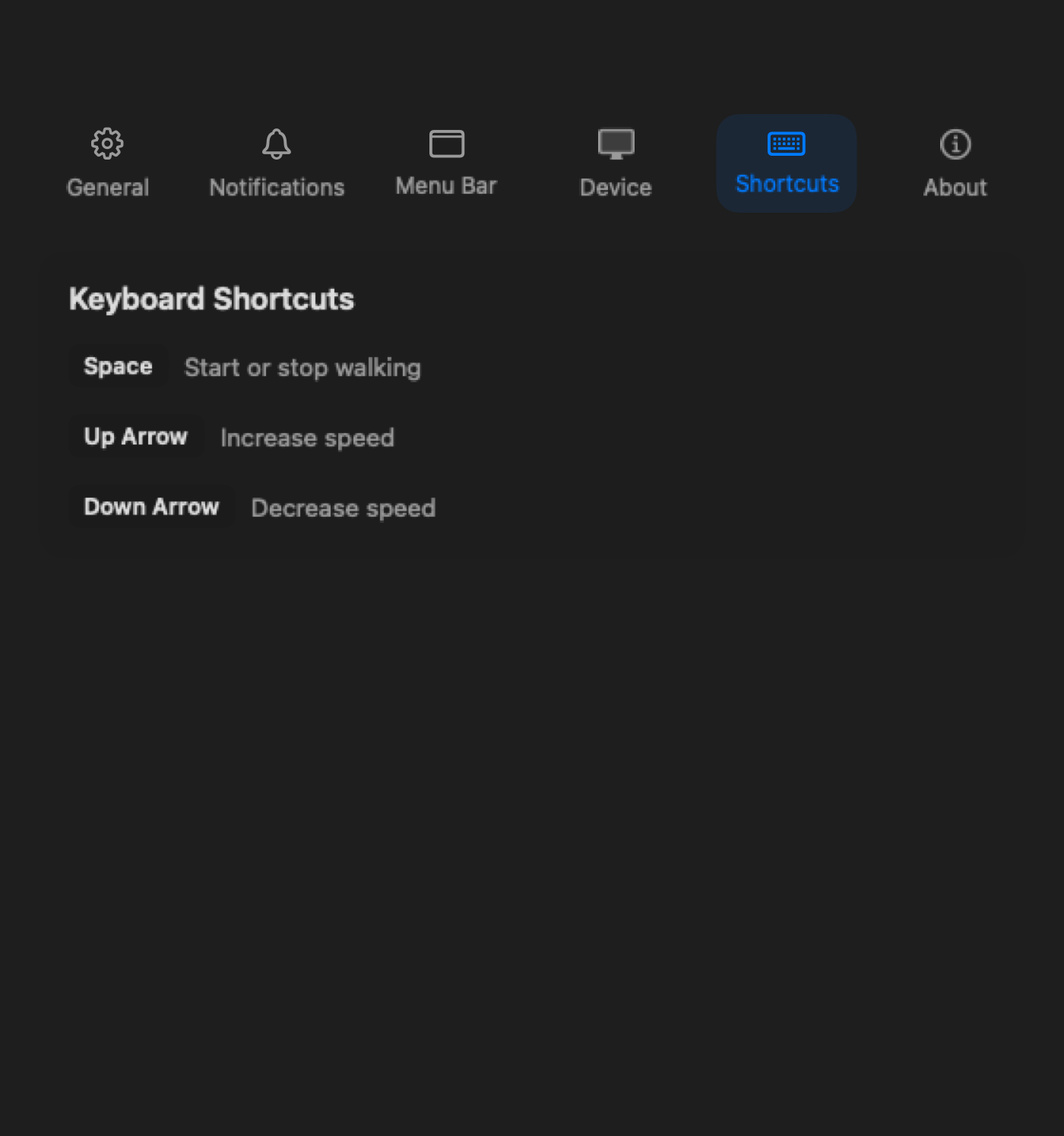
The daily control layer moves into macOS: menu bar tracking, notifications, history, shortcuts, and settings.

Paceora menu bar tracking and treadmill control view on macOS

Tracking view in the menu bar

See connection state, speed, time, distance, and session progress from the place you already check during work.

Paceora walk reminder settings on macOS

Notifications on the Mac

Paceora can nudge you when sitting stretches too long or when a walking goal is close.

Paceora menu bar display settings on macOS

Menu bar display control

Choose what stays visible so the treadmill feels like part of the desktop instead of a separate phone workflow.

Paceora keyboard shortcut settings on macOS

Remote actions on the keyboard

The best control is the one you can use without leaving the Mac.

Paceora session history on macOS

Tracking after the session

A desktop history view makes the treadmill feel like part of the work setup.

Paceora walk reminder settings on macOS

Reminders without the phone loop

The prompt to walk should not send you back into the phone workflow.

The full picture

The phone can work as a remote. It is just the wrong remote for desk walking. Paceora's point is to remove that daily handoff for supported models, while staying clear about the limits: it is independent, model-specific, and still not a firmware-update tool.

If your model is supported, download Paceora. If you are deciding what to buy, start with the A1 Pro unless compact storage is the reason the C2 fits better.

Related app and control pages

Related reviews

WalkingPad A1 Pro treadmill

Review

WalkingPad A1 Pro

The A1 Pro is the safest all-round desk-walking recommendation in Paceora's supported set: sturdier than the compact pads, still foldable enough for a real home office, and clearly desk-first.

WalkingPad C2 treadmill

Review

WalkingPad C2

The WalkingPad C2 is the compact desk-walking pick for buyers who care more about easy storage and low-friction use than about maximum deck confidence.

WalkingPad X21 treadmill

Review

WalkingPad X21

The X21 is the premium office-first WalkingPad: the model for buyers who want better visible-room fit, upright storage, and a more intentional home-office setup.

Related comparisons

Related issue guides

FAQ

Questions people usually have

Can Paceora replace my phone as the WalkingPad remote?

For daily control on supported models, yes. Keep KS Fit available for official setup and firmware cases.

Is Mac control faster than phone control?

For desk work, usually. The control is already where your hands and attention are.

Does this work with every WalkingPad?

No. Check the compatibility page before assuming your model is supported.

Move daily control to the Mac

If your model is supported, download Paceora. If you are deciding what to buy, start with the A1 Pro unless compact storage is the reason the C2 fits better.