

Desk compatibility guide Evidence-led shortlist
Best WalkingPad for Uplift V2 desks
An Uplift V2 can be a strong base for desk walking, but accessories and user height still change the fit. Compare a steady under-desk model, a lower-profile option, and a permanent office layout.
- Guide type
- Desk-specific
- Shortlist
- 3 models
- Decision lens
- Workday fit
What matters for this setup
An Uplift V2 may have plenty of lift range, yet cable trays, monitor arms, casters, frame accessories, and user height can still change the walking position. Measure the exact setup instead of relying on the desk name.
The A1 Pro suits an Uplift V2 that serves as a daily desk. The C2 fits apartments and setups where accessories or storage tighten the space. The X21 needs a visible, permanent place in the office. Consider the R1 Pro or X25 only when the same treadmill will also serve regular exercise or higher-capacity needs.
Three models worth comparing
Amazon links are affiliate links. Paceora may earn a commission if you buy.
Top pick: WalkingPad A1 Pro
The A1 Pro is the first model to compare for an Uplift V2 used as a regular workstation. Its deck suits daily typing and it still folds, though the C2 is easier if the treadmill must slide under furniture every day.
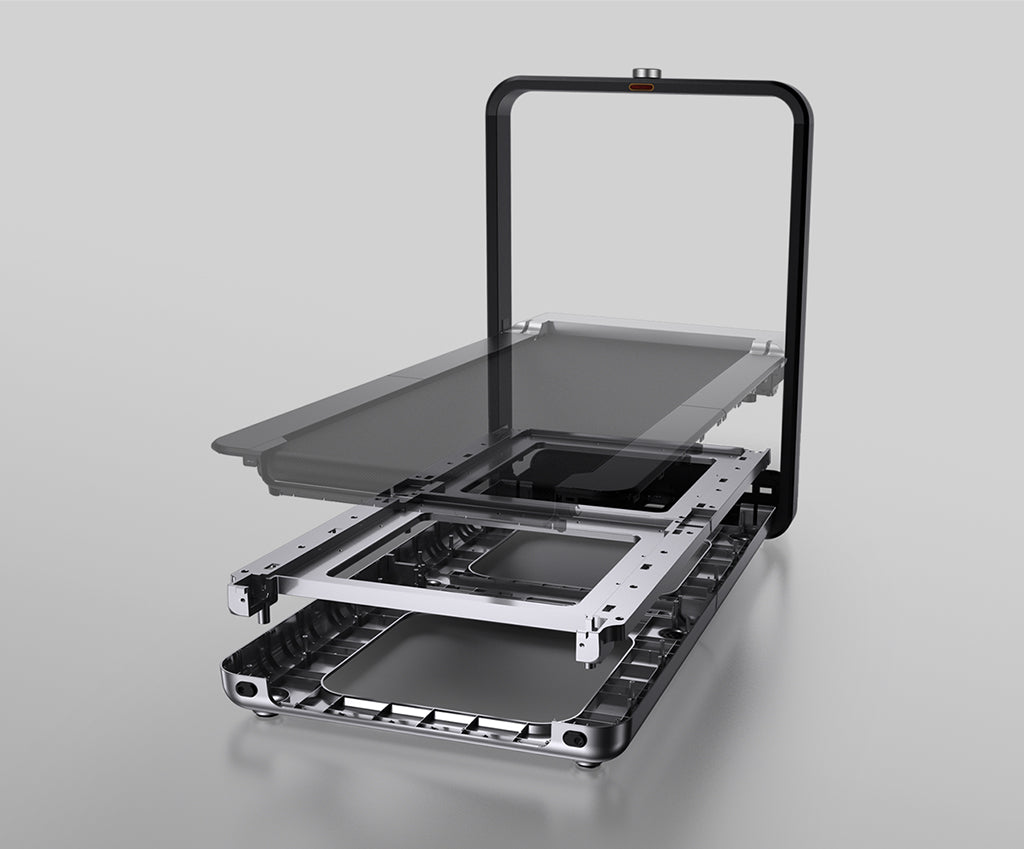
Runner-up: WalkingPad X21
The X21 is the premium runner-up when the Uplift V2 lives in a dedicated office and the treadmill can stay semi-permanent. It makes less sense if you expect a simple under-desk slide-in setup.
Budget pick: WalkingPad C2
Choose the C2 when the room is tight, under-desk accessories reduce clearance, or easy storage matters more than long-session deck comfort.
Desk compatibility check
A capable, intentional standing-desk setup where daily desk walking is realistic if clearance and height margin are confirmed.
The buyer probably has a strong desk and wants to avoid under-buying the treadmill, while still keeping the workstation clean.
Height range
Your height still decides the setting
Uplift V2 setups often have enough adjustment for walking, but tall users and thick footwear can still run out of comfortable keyboard height.
Under-desk room
Accessories can steal the clearance
Cable trays, power strips, privacy panels, and desk feet matter more than desktop width. Confirm that the pad can sit under your natural walking position.
Deck choice
A1 Pro is the clean daily-use match
The A1 Pro gives you a steadier work deck without jumping to a treadmill-first machine. The C2 is better only when storage or height margin is tighter.
Premium setup
X21 is a layout decision
The X21 can suit a polished Uplift office, but it usually wants a more intentional position beside or behind the desk.
Bottleneck
The desk can still be the limiter
If the frame accessories block your stride or the desk wobbles at walking height, changing treadmill models will not make the workstation viable.
What to verify before buying
- Check any under-desk tray or accessory before assuming full center clearance.
- Measure at the walking keyboard height, not the standing height you use without the treadmill.
- Consider the X25 only when the room is large enough and you need its higher capacity or exercise range.
Exact setup checks
Check Paceora's supported WalkingPad models before choosing around Mac control.
Tradeoffs to accept
Steady desk work
A1 Pro gives the best normal balance of deck confidence and under-desk practicality for an Uplift V2.
Premium room
X21 earns attention only when the treadmill can stay visible and the office is planned around it.
Using it with Paceora
Paceora makes the most sense when the Uplift V2 is already part of a Mac-centered desk. Start, stop, adjust speed, and check sessions from the menu bar instead of turning a polished workstation back into a phone-controlled treadmill setup.
Keep reading
Questions people usually have
Is the Uplift V2 good for an under-desk WalkingPad?
Usually yes, but the answer depends on your height and under-desk accessories. Measure the actual walking position before buying.
Should Uplift V2 owners buy the X21?
Only if the office is permanent enough for a premium visible layout. For normal under-desk walking, start with the A1 Pro.
When should an Uplift V2 buyer choose the C2?
Choose the C2 when storage, lower deck profile, or tight clearance matters more than long-session deck confidence.
Use the selector before opening another product tab.
Answer four questions about the room, session length, storage, and Mac control.