

WalkingPad buyer guide Evidence-led shortlist
Best WalkingPad for developers
Coding while walking calls for a steady deck, a slow pace, and controls that do not pull you away from the editor.
- Guide type
- Use-case
- Shortlist
- 3 models
- Decision lens
- Workday fit
What matters for this setup
Coding asks for precise typing and long periods of concentration. A shaky deck or awkward speed change becomes noticeable quickly. For Mac developers, menu bar and keyboard control can keep those adjustments beside the editor instead of on a phone.
The A1 Pro suits developers who want regular desk walks without giving the treadmill a large part of the room. The X21 adds a wider-feeling setup for a dedicated office. The C2 is easier to store but less comfortable during long debugging sessions. The R1 Pro and X25 add exercise features or size that coding itself does not require.
Three models worth comparing
Amazon links are affiliate links. Paceora may earn a commission if you buy.
Top pick: WalkingPad A1 Pro
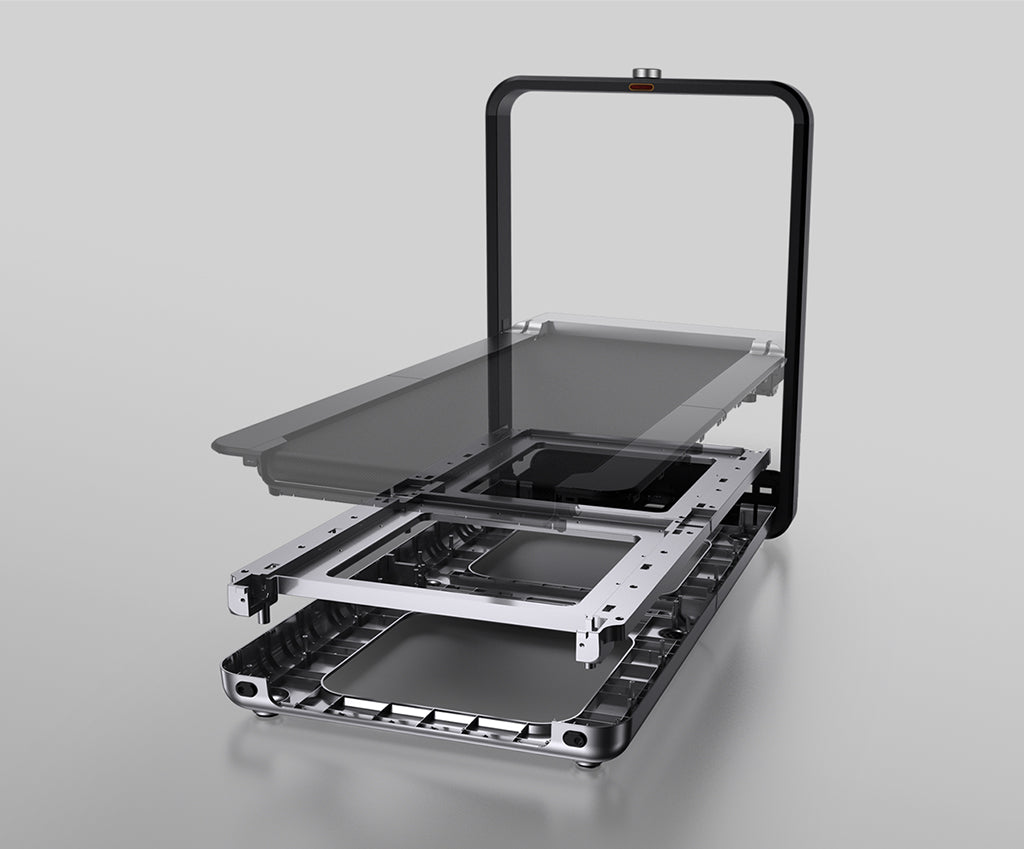
Compare the A1 Pro first for regular coding sessions. Its deck suits sustained typing, and Paceora adds keyboard control without requiring a larger office setup.
Runner-up: WalkingPad X21
The X21 adds a wider deck and upright storage for a dedicated office. Choose it for those physical benefits, not because coding needs a more expensive treadmill.
Budget pick: WalkingPad C2
The C2 works well in a small apartment, especially when it needs to be stored after use. Its narrower deck may become more noticeable during long debugging sessions.
Using it with Paceora
Paceora lets you pause or change speed with a keyboard shortcut, so the IDE can stay in front of you.
Keep reading
Questions people usually have
Can I code normally while walking?
Some developers can handle routine coding at a slow pace, while precise debugging or complex design work may be easier when still. Start with a simple task and stop if typing or concentration suffers.
What about pair programming?
Walk during solo coding. Pause for pair sessions, screen-shares, and code reviews where you need full attention.
Use the selector before opening another product tab.
Answer four questions about the room, session length, storage, and Mac control.