

Desk compatibility guide Evidence-led shortlist
Best WalkingPad for Secretlab Magnus Pro
The Magnus Pro is a premium desk with a lot happening under and behind the surface. The best WalkingPad pairing is the one that respects that physical setup instead of pretending every premium desk wants the biggest treadmill.
- Guide type
- Desk-specific
- Shortlist
- 3 models
- Decision lens
- Workday fit
What matters for this setup
The Magnus Pro is often a permanent office or gaming-workstation desk. That makes a premium treadmill tempting, but the built-in cable management and heavy desk architecture can turn clearance into the real constraint. The pad has to fit the standing height, the under-desk lane, and the way the room is already wired.
Choose the A1 Pro for a centered under-desk setup, the X21 for a planned visible position, or the C2 when the cable tray, height, or storage space is tight. Consider the R1 Pro or X25 only when faster exercise or higher-capacity needs are part of the plan.
Three models worth comparing
Amazon links are affiliate links. Paceora may earn a commission if you buy.
Top pick: WalkingPad A1 Pro
The A1 Pro is the best first pick if you want a normal under-desk walking setup with the Magnus Pro. It is stable enough for daily work and does not force a side-layout treadmill plan. Skip it if your cable tray or room layout blocks a centered walking position.
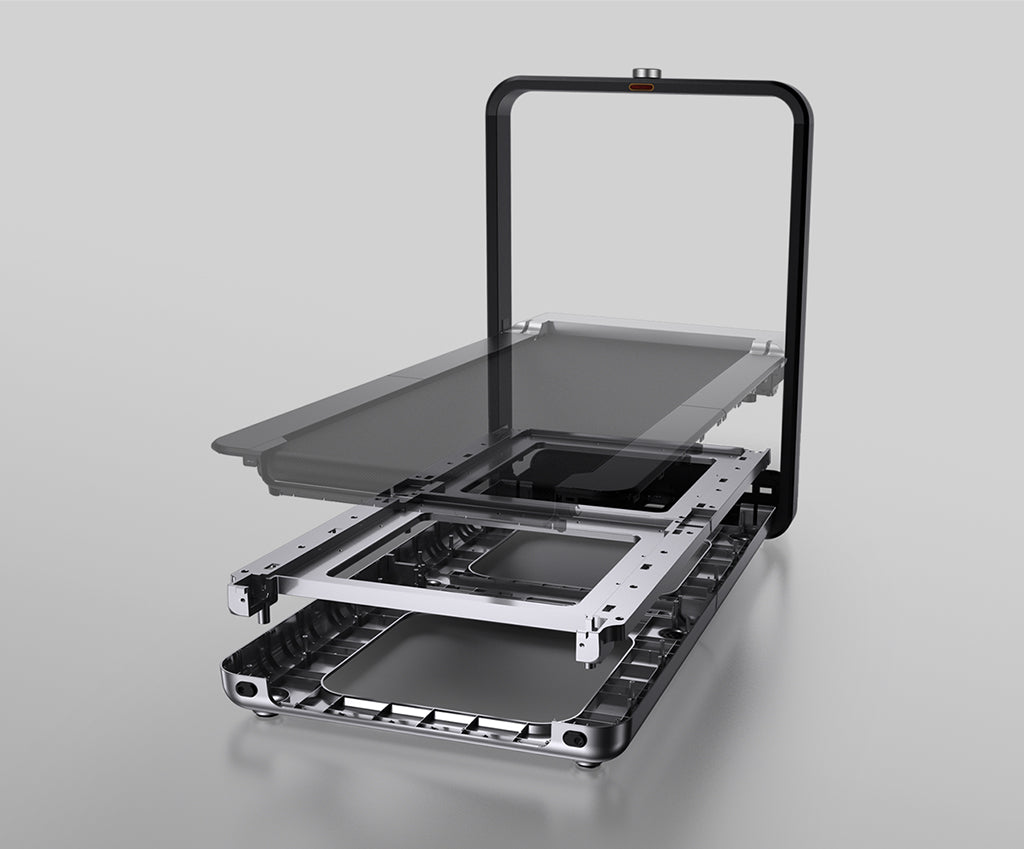
Runner-up: WalkingPad X21
The X21 is the premium runner-up for a permanent Magnus Pro office where the treadmill can stand beside or behind the desk. It needs a planned place in the room rather than a simple under-desk storage slot.
Budget pick: WalkingPad C2
The C2 is the lower-profile fallback if the Magnus Pro's tray and cable routing make clearance tight or if the room needs the treadmill to disappear.
Desk compatibility check
A premium permanent desk setup where cable management and under-desk architecture need to be checked before choosing a treadmill.
The buyer wants a premium setup but needs to know whether under-desk clearance or room layout blocks the obvious pick.
Cable tray
The under-desk architecture matters
The Magnus Pro's cable tray keeps wiring organized, but it can reduce usable space. Check the tray, cables, and mounted accessories against the pad's exact position.
Desk height
Premium does not erase height math
You still need a keyboard height that works after adding the deck and shoes. Check that before choosing a taller treadmill.
Under-desk fit
A1 Pro keeps the setup simple
The A1 Pro is the cleanest pick when you want the walking pad centered under the Magnus Pro for normal desk work.
Visible office
X21 fits if the room is planned around it
The X21 makes sense when the premium desk and treadmill are both permanent parts of the office, not when you want quick hidden storage.
Bottleneck
The desk accessories can be the blocker
If trays or mounted hardware push the pad off-center, the compatibility problem is the desk setup, not the treadmill lineup.
What to verify before buying
- Check the rear cable tray and anything mounted under the desk before choosing a pad.
- Treat the X21 as a premium layout choice, not an automatic under-desk fit.
- Do not buy the X25 just because the desk is premium.
Exact setup checks
WalkingPad A1 Pro with Secretlab Magnus Pro WalkingPad X21 with Secretlab Magnus Pro WalkingPad C2 with Secretlab Magnus Pro
Check Paceora's supported WalkingPad models before choosing around Mac control.
Tradeoffs to accept
Under-desk simplicity
Compare the A1 Pro first for regular typing at the Magnus Pro.
Premium presence
X21 can be the better aesthetic match, but only when side placement or a permanent visible setup is acceptable.
Using it with Paceora
Paceora matches a Magnus Pro workstation because the whole desk is built around keeping control at the computer. The treadmill should follow that logic: Mac-side start, stop, and speed changes, with no phone detour under a cable-managed desk.
Keep reading
Questions people usually have
What is the best WalkingPad for Secretlab Magnus Pro?
Start with the A1 Pro for a typical desk setup. Consider the X21 only if the office has room for a premium treadmill that stays visible.
Can the Magnus Pro cable tray cause problems?
It can. Check tray, cable, and accessory clearance before assuming any walking pad will center cleanly under the desk.
Is the X25 the premium choice for Magnus Pro?
Usually no. The X25 needs more room and only makes sense when you need its higher capacity or broader exercise range.
Use the selector before opening another product tab.
Answer four questions about the room, session length, storage, and Mac control.