
Tasks that can work at low speed
Design review, reference gathering, reading feedback, and early wireframes may tolerate low-speed walking. Test each task instead of assuming every part of design work will feel the same.
Desk walking for Designers Workday guide
Walking can fit research, critique, and broad layout review. Pause for pixel-level edits, detailed illustration, and other precise cursor work.
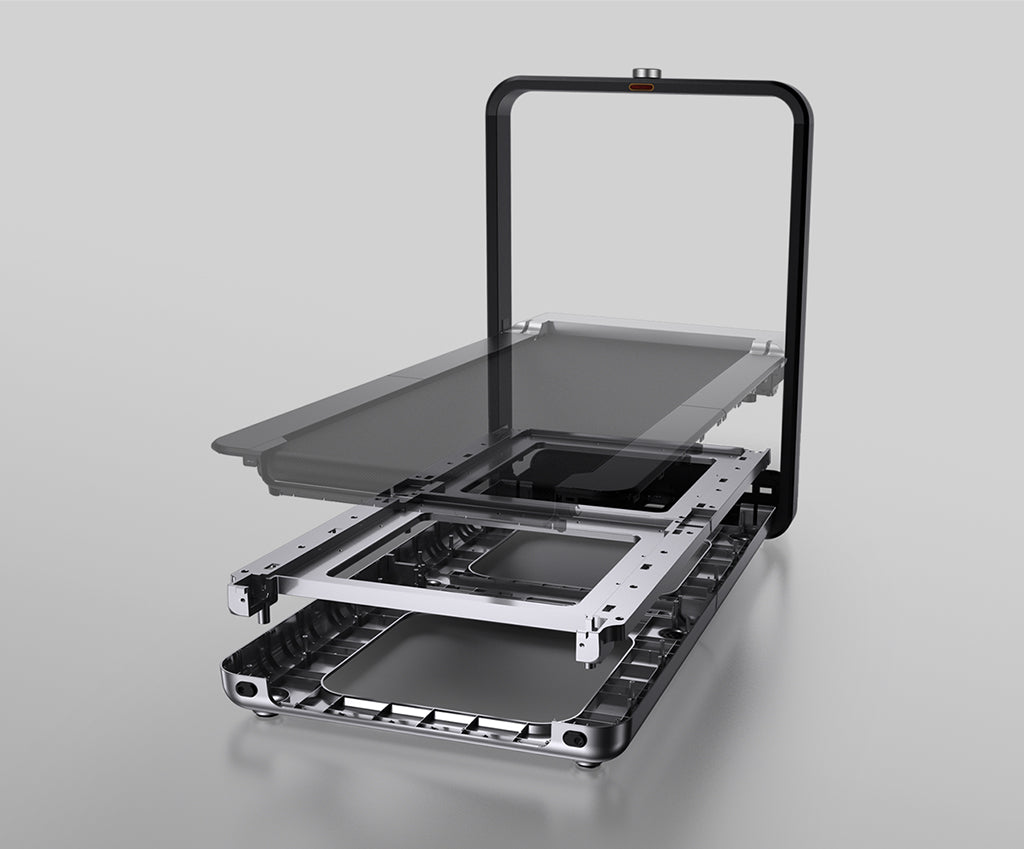
Best for a permanent visible office.
Read the reviewDesign review, reference gathering, reading feedback, and early wireframes may tolerate low-speed walking. Test each task instead of assuming every part of design work will feel the same.
Stop when cursor precision, pen input, color judgment, or close visual inspection matters. Movement should never make the result less accurate.
A stable desk and enough deck room help with cursor control. Storage style also matters when the treadmill remains visible in a studio or shared office.
Amazon links are affiliate links. Paceora may earn a commission if you buy.
Best for a permanent visible office.
Upright storage and a wider deck suit a dedicated room where the treadmill stays visible.
Watch for: The A1 Pro covers regular desk walking for less.

Best value for regular design work.
More deck room than the C2 without the X21's higher price or fixed-handle layout.
Watch for: It takes more effort to store than the C2.
Choose it when storage comes first.
Easy storage suits short review or research walks in a multipurpose room.
These are exercise-led choices rather than the default desk-walking picks. Move one of them ahead only when its extra capability solves a need you will use.
Choose it for walking and faster exercise. Choose it when faster exercise is also part of the plan.
Read the WalkingPad R1 Pro reviewChoose it only for capacity or mixed use. Consider it only when its capacity or faster exercise modes are needed.
Read the WalkingPad X25 reviewPaceora keeps treadmill controls on the Mac, making it easy to pause before precise work and restart for reading or review.
Get PaceoraReview, comments, and broad wireframes may work at low speed. Pause for component details, alignment, and other precise cursor work.
It stores upright rather than flat. Measure both the walking position and the vertical storage position before buying.
The selector uses storage, session length, and desk setup to narrow the choice.